ChatGPT plugin directory: a new growth channel
The ChatGPT plugin directory gives an MCP server something it never had before: a listing in front of ChatGPT users, reviewed by OpenAI and backed by a model that decides when to call it. I think this is the start of a new distribution channel, comparable to the moment the App Store opened on the iPhone. This article explains where the channel stands today, how ChatGPT finds the right plugin, what still has to be solved before agents use MCP servers freely, and how MCP Tower helps twice: it tests your server before you submit, and it shows how agents use it once you are listed.
Key takeaways
- The ChatGPT plugin directory is where people find plugins for ChatGPT and Codex. ChatGPT apps, the integrations built on MCP servers, live inside it.
- Being listed is the first step. I expect most discovery to happen when ChatGPT picks your tool on its own, from the metadata you write.
- The submission asks for five positive and three negative test cases. They describe when your plugin should act and when it should stay out of the way, which I think is the same skill that drives discovery.
- Prompt injection is a big reason agents still ask before acting. As defenses improve, I expect agents to use more of what each MCP server offers.
- Test before you submit. MCP Tower checks your OAuth sign-in the way ChatGPT does, and its Inspect module validates your tools and their descriptions and recommends fixes, so review does not stall on a problem you could have caught.
- Measure after you are listed. MCP Tower shows which agents call your server, which tools they use and where calls fail, so you know what to rewrite.
What is the ChatGPT plugin directory?
An OpenAI plugin can bundle skills, apps and app templates. Apps are still the part that connects ChatGPT or Codex to outside data and actions, and OpenAI accepts plugins with a remote MCP server behind them. So if you ship an MCP server, the plugin directory is where your ChatGPT app gets a public listing.
To get there, you submit the plugin for review. OpenAI’s submission guide says the directory “helps people discover and use it in ChatGPT and Codex”. The steps, review times and pitfalls are in my companion article, how to get listed in the ChatGPT plugin directory.
An App Store for AI agents
On July 14, 2008, Apple announced that iPhone and iPod touch users had downloaded more than 10 million applications in the App Store’s first three days. More than 800 native apps were available.
Before that weekend, a company that wanted to reach iPhone users had a mobile website and hoped people would bookmark it. After it, there was one place where users looked for software, one review process, and one install button. A small team with a good idea could reach millions of phones without a distribution deal, and app store optimization became a job of its own.
MCP servers are at a similar point. Until recently, using one meant finding its URL in a README and pasting it into a client’s settings. Only developers did that. A directory inside ChatGPT changes who can find your server: anyone who uses ChatGPT, with no configuration file in sight.
The analogy has limits, and they matter for planning:
| App Store in 2008 | ChatGPT plugin directory today |
|---|---|
| Users browse the store | Users find a listing by direct link or by searching its name |
| Apple picks apps to feature | Main pages show plugins OpenAI selects for “enhanced distribution” |
| The user decides when to open an app | The model decides when to call a tool, from your metadata |
Why is the plugin directory a new MCP distribution channel?
OpenAI’s review requirements say users reach a published plugin through a direct link or by searching for it by name. Plugins appear on the directory’s main pages only if OpenAI selects them for enhanced distribution, which can happen for plugins with strong real-world utility and high user satisfaction. Developers cannot request it.
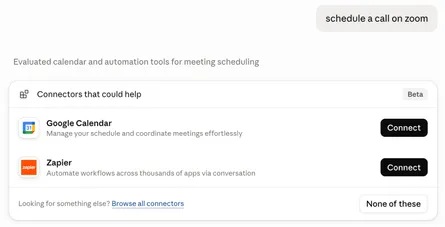
Read that as a hint about where the traffic will come from. Few people will browse a directory of plugins the way they browsed the App Store charts in 2008. They will ask ChatGPT for something, and ChatGPT will decide which tool can do it. The listing makes your server eligible. The model’s choice, made in the middle of a conversation, is what sends you users.
That makes the plugin directory closer to a search index than a shop window. Search engines changed the web the same way: you stopped typing addresses and started asking questions, and the engine found the page. I believe AI agents are moving in that direction for MCP servers. The Claude side of this shift, where the model can suggest connectors during a conversation, is covered in why the Claude Marketplace can be a new growth channel.
How does ChatGPT decide to call your MCP server?
OpenAI’s guide to optimizing metadata is direct about it: “ChatGPT and Codex decide when to call your tool based on the metadata you provide.” Your tool names, titles, descriptions and argument descriptions are your ranking factors, and MCP server discoverability comes down to how well they match what users ask.
The guide asks you to build a “golden prompt set” with three kinds of prompts:
- Direct: the user names your product or data source.
- Indirect: the user describes the outcome they want without naming your tool.
- Negative: built-in tools or other tools should handle the request.
For each prompt you track precision (did the right tool run?) and recall (did the tool run when it should?). The indirect prompts are the interesting ones for growth. They are the users who never heard of you and still got your tool, because your description matched their need.
Positive and negative test cases in the submission
The submission form asks for the same thinking. OpenAI’s submission guide requires five positive test cases (a scenario, a user prompt, the expected tools and the expected result) and three negative test cases (a prompt where the plugin should not act, why, and the expected refusal, clarification or safe fallback). The stated purpose is to let the review team test the integration.
OpenAI does not say the test cases feed discovery. My reading is that they rehearse it: a team that can write sharp positive and negative cases has already worked out when its tools should run, and that is what good metadata expresses. Here is what that looks like for an invoicing MCP server:
| Type | Prompt | Expected behavior |
|---|---|---|
| Positive | “Send Acme the invoice for October’s design work” | Calls create_invoice, then send_invoice |
| Positive | “Which clients haven’t paid me this quarter?” | Calls list_unpaid_invoices |
| Negative | “What is the VAT rate in Germany?” | Does not call any tool; ChatGPT answers |
| Negative | “Draft a friendly email to a client who is late” | Does not call any tool; no invoice action |
The second positive case never mentions invoices by name. If your descriptions only say “Invoice API”, ChatGPT may not connect “haven’t paid me” to your tool. You can only find that out by testing prompts like it, and later by watching real traffic.
What has to be solved first: prompt injection and trust
Automatic discovery has a brake on it today, and it is security. The MCP specification calls tools “model-controlled”, meaning the model can discover and invoke them on its own. In the same section it says there should always be a human in the loop who can deny a tool call, and that clients must treat tool annotations as untrusted unless they come from trusted servers. Servers, for their part, must validate all tool inputs and sanitize tool outputs.
A big reason is prompt injection: text from a web page, a document or a tool result that tries to steer the model into doing something the user did not ask for. OpenAI described its work against it in hardening ChatGPT Atlas against prompt injection and treats it as a long-term security problem that needs continuous defenses.
As long as that risk is high, agents will keep asking the user before many actions. I expect the balance to shift as defenses improve. When it does, agents will use the full set of capabilities an MCP server offers to complete what the user asked, and the servers that already describe their tools well will be the ones they reach for.
What you can do now:
- Validate every input on your server and return only the data the request needs.
- Write tool descriptions that state what the tool does and nothing else. Instructions aimed at the model (“always call this tool first”) look like the injection attempts hosts defend against.
- Use narrow OAuth scopes, so a misused call can do little damage.
Why the review is so strict, and how to pass it the first time
In my view, prompt injection is the main reason OpenAI reviews every plugin so carefully. A tool description is text the model reads and trusts. A description that hides instructions, a tool that does more than it says, or a result that carries unexpected text can turn a plugin into an attack on the user. Reviewers rerun your test cases and check that each tool does what it promises, and a rejection costs you another round.
That is why I recommend testing in MCP Tower before you submit to ChatGPT or Claude. Inspect, MCP Tower’s view of your server, validates your tools and their descriptions and gives recommendations, so you can fix problems before a reviewer finds them. From Inspect you can also change a tool’s title and description through overrides, without waiting for your developers to ship a release.
Test your OAuth sign-in there too. The review team signs in with the test account you provide, and
if sign-in breaks, they cannot run your test cases and the review stalls. MCP Tower
signs in to your server the way ChatGPT and Claude do, runs each step as a check and
reports the first place the flow breaks, with the fix and a curl command to confirm it.
Measure ChatGPT traffic like an SEO specialist
SEO specialists do not publish a page and hope. They check which queries show the page, how often people click, where they drop off and which pages are broken, then they rewrite titles, fix errors and measure again.
An MCP server in the ChatGPT plugin directory needs the same loop once it is published, and server logs alone do not give it. That loop is what MCP analytics in MCP Tower are for. MCP Tower is a hosted middleware that sits between AI agents and your remote MCP server. You point a hostname you own at it with a DNS change, so the URL you publish can stay the same, and every request passes through to your server while MCP Tower records what happened. You need no SDK and no code change on the server.
Here is how the SEO toolkit maps to what MCP Tower shows:
| What an SEO specialist checks | The MCP equivalent in MCP Tower |
|---|---|
| Which search engine sent the visit | Which AI agent made each call (ChatGPT, Claude and others), from the MCP message and User-Agent |
| Impressions and clicks per page | Tool calls per tool and per agent, with users and sessions |
| Search queries | The tool arguments you choose to record, per tool (opt-in) |
| Clicks from the result to the site | Clicks on links returned by your tools, joined back to the tool call |
| Engagement on the page | Widget loads, clicks and form submissions inside the answer |
| Crawl errors and downtime | Errors by tool, latency and uptime checks independent of real traffic |
| Rewriting a title and meta description | Overriding a tool’s title and description without a release of your server |
If indirect prompts do not reach your tool, an Admin or Editor can rewrite its description in MCP Tower and watch whether calls change. See overrides and prompts for how it works. An override changes what every agent reads, so a live server that no longer matches your listing may need to be resubmitted; MCP Tower warns you about that.
MCP Tower also rescans your server every day and emails Admins and Editors when a tool or its description changes, so a release that rewrites your metadata does not go unnoticed.
Beyond ChatGPT: more directories to list in
ChatGPT is one of several AI assistants that now have a directory for MCP servers. Claude has the Claude Marketplace, and Meta, Perplexity and Google have opened their own. Each one is another place where people can find your server, so look at all of them before you decide where to list first:
- Muse connectors: a new MCP growth channel
- Perplexity connectors: a new MCP growth channel
- Gemini Connected Apps: a new MCP growth channel
- Official MCP Registry: a new MCP growth channel, the upstream that developer catalogs such as Glama and PulseMCP pull from
- Grok Bot Marketplace: a new MCP growth channel, one form for Grok Bot and Cursor users
Conclusion
The ChatGPT plugin directory is young, and the way people reach plugins is still changing. Today it gives your MCP server a reviewed listing and a place in ChatGPT’s tool selection. The positive and negative test cases you write for review are your first draft of discoverability. I think the servers with clear metadata and real usage data will be ready when agents can act with less supervision. MCP Tower covers both ends of that work: test your OAuth sign-in, tools and descriptions before you submit, then watch real traffic once you are listed.
Next steps: get listed with the ChatGPT submission guide, compare it with getting listed in the Claude Marketplace, and run your server through MCP Tower before you submit. Add your MCP server to MCP Tower to test it today and see which agents call it once it is live.