How to submit a plugin to Grok
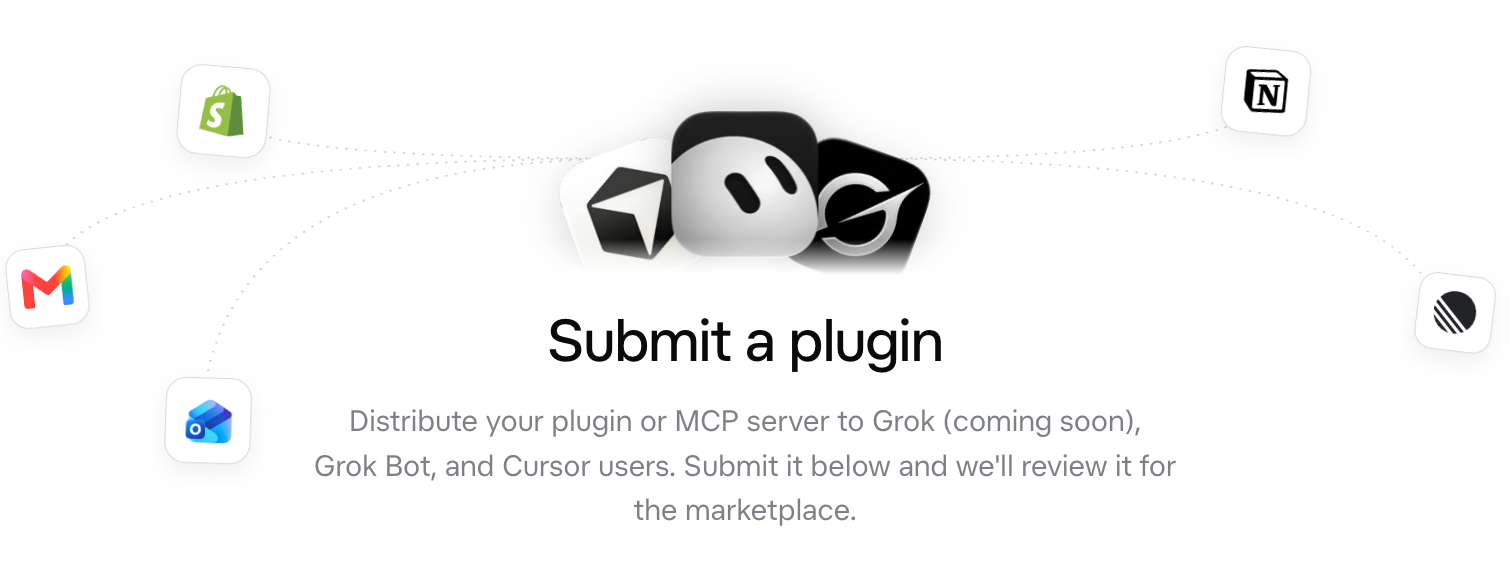
To submit a plugin to Grok, you fill in one short form on xAI’s site. It asks for your MCP server URL or a public GitHub repository, a description, testing instructions and the places you want to be listed: Grok Bot, Cursor, and Grok itself once that option opens. In this guide I go through the form field by field, explain the Publisher Terms you accept, and show where MCP Tower fits in: checking the server before you submit, then measuring its traffic once it is listed.
The whole process, in order:
- Decide where to be listed: Grok Bot, Cursor, or Grok (coming soon).
- Read the Publisher Terms, which are Cursor’s.
- Put MCP Tower in front of your server and choose the URL you will keep.
- Test OAuth and validate your tool descriptions in MCP Tower.
- Write the description and the testing instructions.
- Fill in the form at x.ai and submit.
- Wait for review, then measure who uses the plugin.
If you are still deciding whether the listing is worth the effort, read why the Grok Bot Marketplace is a new MCP growth channel first.
1. Decide where your plugin should be listed
The form at x.ai/bot/marketplace/submit-a-plugin asks “Where do you want to be listed?” and offers three checkboxes. You can tick more than one.
| Option | What it is |
|---|---|
| Grok (coming soon) | xAI’s assistant. The listing option is marked coming soon. |
| Grok Bot | xAI’s Bots that do tasks on a cloud computer, with desktop and phone apps |
| Cursor | The code editor. Its marketplace lists plugins for Cursor agents |
Grok Bot and Cursor share more than a form. Grok Bot uses your Cursor account, and its team docs say “There is no separate Grok Bot connector list”: a team’s Cursor connector policy applies to Grok Bot. Cursor has been part of SpaceX since August 2026, as its announcement explains. I cover the background in the growth article.
My advice: tick every option your server makes sense for. A server for developers belongs in Cursor. A server for sales, support or office work fits Grok Bot, whose Bots do tasks for a team.
2. Read the Publisher Terms
Below the submit button, the form says that by clicking “Submit Plugin” you agree to the Publisher Terms. The link goes to the Cursor Marketplace Publisher Terms of Anysphere, Inc., the company behind Cursor, last updated May 6, 2026. The terms define a plugin broadly enough to include MCP servers. The points I would read before submitting:
- Approval is discretionary: “We may approve or reject any application for any reason, in our sole discretion”, and Anysphere “does not provide reasons” for the decision.
- The marketplace is free: Anysphere offers it to publishers free of charge, and the publisher agrees not to charge users fees, directly or indirectly. If your MCP server is part of a paid product, read section 3.1 in full before you submit.
- You may not use plugin data or user content to train AI or machine learning models.
- GPL, AGPL and LGPL code may not be included in a plugin.
- You keep the plugin working and secure, provide support to its users,
report security vulnerabilities to
[email protected], and Anysphere may review or remove a listed plugin at any time.
3. Choose the MCP server URL you will keep
The form’s main field is “MCP Server URL or Public GitHub Repository”. For a remote MCP server,
submit the URL agents will call, for example https://mcp.example.com/mcp. Grok Bot reaches remote
MCP servers from Cursor’s servers, per its security page, so
the URL has to be reachable from the public internet.
Choose this URL carefully, because it is the one reviewers test and users install. Put MCP Tower in front of your server first (onboarding) and submit the MCP Tower hostname. The URL you submit is then the URL you keep, and the first call after listing is already measured.
Note
Cursor’s plugin docs say plugins are distributed as Git repositories and that “all plugins must be open source”. The xAI form also accepts a server URL on its own. I could not find a source that says whether a hosted MCP server listed by URL has to publish its code, so check with xAI if that matters to you.
4. Test OAuth and your tools in MCP Tower
The form ends with a required checkbox: “I’ve tested this plugin locally and in-app and confirmed it works as expected”. Take it literally. A sign-in that fails, or a tool description a reviewer does not trust, can stall the review.
Directory reviews are strict, and in my view prompt injection is the main reason. A tool’s name and description go straight into the agent’s context, so a misleading description can steer the model. Grok Bot’s security page says content from the outside world, app results included, “can try to steer” a Bot, and that its defenses “reduce, but do not eliminate” that risk. A reviewer has to rule it out for every tool.
When you add your server to MCP Tower, its Inspect module validates every tool and its description and gives you recommendations. Fix them on your server and scan again, or change a tool’s title and description in Inspect with an override, without waiting for your developers.
If users sign in to your server, run the OAuth checks. MCP Tower signs in the way an
agent does, through 18 checks from the 401 challenge to token refresh, and reports the first place
where the flow breaks, with the fix. Cursor signs in with the authorization code flow and PKCE, and
can register itself with dynamic client registration, per its
MCP docs.
Then test in an app yourself. In Cursor, add the MCP Tower URL to .cursor/mcp.json:
{ "mcpServers": { "acme": { "url": "https://mcp.example.com/mcp" } }}5. Write the description and testing instructions
Two text fields carry most of the submission, and each is limited to 600 characters.
Brief Description. The help text asks “What your plugin does and how it helps users”. Name the tasks a user completes, not your company’s category. For example:
Acme Orders lets you check order status, track shipments and start returnsfor your Acme store. Ask "Which orders shipped late this week?" or "Start areturn for order 1042". Refunds and cancellations ask you to confirmfirst. Sign-in uses your Acme account (OAuth).Testing Instructions. The help text asks for “A link or steps for testing locally and in-app, including any test credentials”. 600 characters is not much, so I would write three or four steps and put the rest in a linked page: the server URL, a test account that stays valid through review, sample prompts for each main tool, and what a correct result looks like. Create a separate test account for reviewers. Never paste a production token or a personal password into the form.
6. Fill in the form and submit a plugin to Grok
Here is every field, as the form looked on October 29, 2026.
| Field | Required | Limit | Notes |
|---|---|---|---|
| First Name, Last Name | Yes | 40 each | |
| Work Email | Yes | 254 | Placeholder [email protected] |
| Organization Name | Yes | 100 | |
| Organization Handle | Yes | 40 | “Unique organization handle, no spaces or capitalization” |
| Website URL | No | 200 | |
| Logotype URL | Yes | 200 | “1:1 SVG or PNG with a background plate” |
| Where do you want to be listed? | Yes | Grok (coming soon), Grok Bot, Cursor | |
| MCP Server URL or Public GitHub Repository | Yes | 200 | Your MCP Tower URL, see step 3 |
| Brief Description | Yes | 600 | See step 5 |
| Testing Instructions | Yes | 600 | See step 5 |
| Tested locally and in-app | Yes | Checkbox | See step 4 |
Two fields are easy to get wrong. The logotype has to be square and have a background plate, so a
transparent wordmark will not do. Host it at a stable URL on your own site. The organization handle
is lowercase without spaces, like acme-labs, and has to be unique, so pick one you are happy to
keep.
The form has no fields for tool annotations, a privacy policy or screenshots. Apart from your description, the reviewer learns about your tools from the server itself, which is one more reason to clean up tool descriptions first.
7. Grok plugin review time and what comes after
xAI does not publish a review time, and neither do the Publisher Terms. Cursor’s plugin docs say “every plugin is manually reviewed before it’s listed” and that each update is reviewed before it is published. The terms say Anysphere does not give reasons for a rejection. I have not submitted to this marketplace yet, so I cannot give you a number from experience. Plan your launch around the reply, not a date.
Once listed, keep the server stable. Anysphere can review a plugin at any time, and if you change a tool’s text, including with an MCP Tower override, the live server no longer matches what was reviewed. The catalog listings note covers that.
Neither xAI nor Cursor documents a usage dashboard for publishers. This is the second place MCP Tower comes in. Because it sits in front of your server, it records every call: which agent made it and how far that label can be trusted, which tool it called, how long it took and what failed. MCP Tower does not yet name Grok Bot or Cursor as agents, but their calls are still recorded and measured. It also tracks clicks on links in tool results and interactions inside widgets, and checks your server’s uptime even when nobody is using it.
Grok vs Claude vs ChatGPT submission
Most teams list in several places. Here is how the processes compare, from each vendor’s docs and, for Claude and ChatGPT, my own submissions. Step-by-step guides: Claude and ChatGPT.
| Grok Bot Marketplace | Claude | ChatGPT | |
|---|---|---|---|
| Where you submit | Form at x.ai/bot/marketplace | Developer portal at claude.ai/directory/manage | ZIP upload at platform.openai.com/plugins |
| Where it lists | Grok Bot, Cursor, Grok (coming soon) | Claude | ChatGPT |
| What testers get | Testing instructions, test credentials | Main tasks, example prompts, test account | Positive and negative test cases, video, demo account |
| First approval | Not published | 3–4 months in my experience | 3+ months in my experience |
| Usage analytics | Not described in the docs | Health, tool calls, error rate, latency | None |
The Grok form asks for no tool labels or test cases, which puts more weight on what the reviewer finds when they connect.
The same server also fits Muse, Perplexity and Gemini, and you can publish its metadata to the official MCP Registry for developer catalogs.
Summary
- Pick your listings: Grok Bot, Cursor, or Grok when it opens.
- Read the Cursor Marketplace Publisher Terms, especially approval, fees and data.
- Put MCP Tower in front of your server and submit its URL.
- Run MCP Tower’s tool validation and OAuth checks, then test the server in an app.
- Write a task-focused description and testing instructions with a reviewer account.
- Submit at
x.ai/bot/marketplace/submit-a-plugin. - Wait for review, keep the server stable and measure its traffic.
The Grok Bot Marketplace form is short. The work is in the server behind it. Test it in MCP Tower before you submit so the review does not stall on a sign-in bug, and keep it behind MCP Tower after listing to see how agents use it.
Open MCP Tower