PublishLesson 3 of 9
How to get listed in an MCP directory
An MCP directory is the catalog inside an assistant where users, and increasingly the model itself, find MCP servers. A listing there is the indexing step of the agent channel, with a strict review process between you and the index, and it is what makes your server findable beyond the people who paste its URL. Each assistant runs its own directory, with its own form and its own review: ChatGPT and Grok call listings plugins, while Claude, Muse and Perplexity call them connectors. ChatGPT’s form asks when your app should trigger and when it should not; Claude’s asks for the main tasks and example prompts. Approval is not always the last step, since on Claude someone on the stakeholders’ side still has to select Publish. Review is strict because tool descriptions and results go straight into the model’s context, so prompt injection is what reviewers look for. Adding a site to Search Console takes minutes; a first directory listing can take months, so plan the engagement around that wait. This lesson walks through the ChatGPT and Claude directories, what their forms ask, what happens after approval, why review is so strict, and the other catalogs worth knowing.
Browse the ChatGPT app directory
Section titled “Browse the ChatGPT app directory”The ChatGPT plugin directory is where ChatGPT apps live, the integrations built on MCP servers. According to OpenAI’s review requirements, users reach a published plugin through a direct link or by searching for its name, and the main pages show only plugins OpenAI selects for enhanced distribution. A developer cannot request that placement. In SEO terms, the directory works more like an index you are in than a shop window you are featured in.
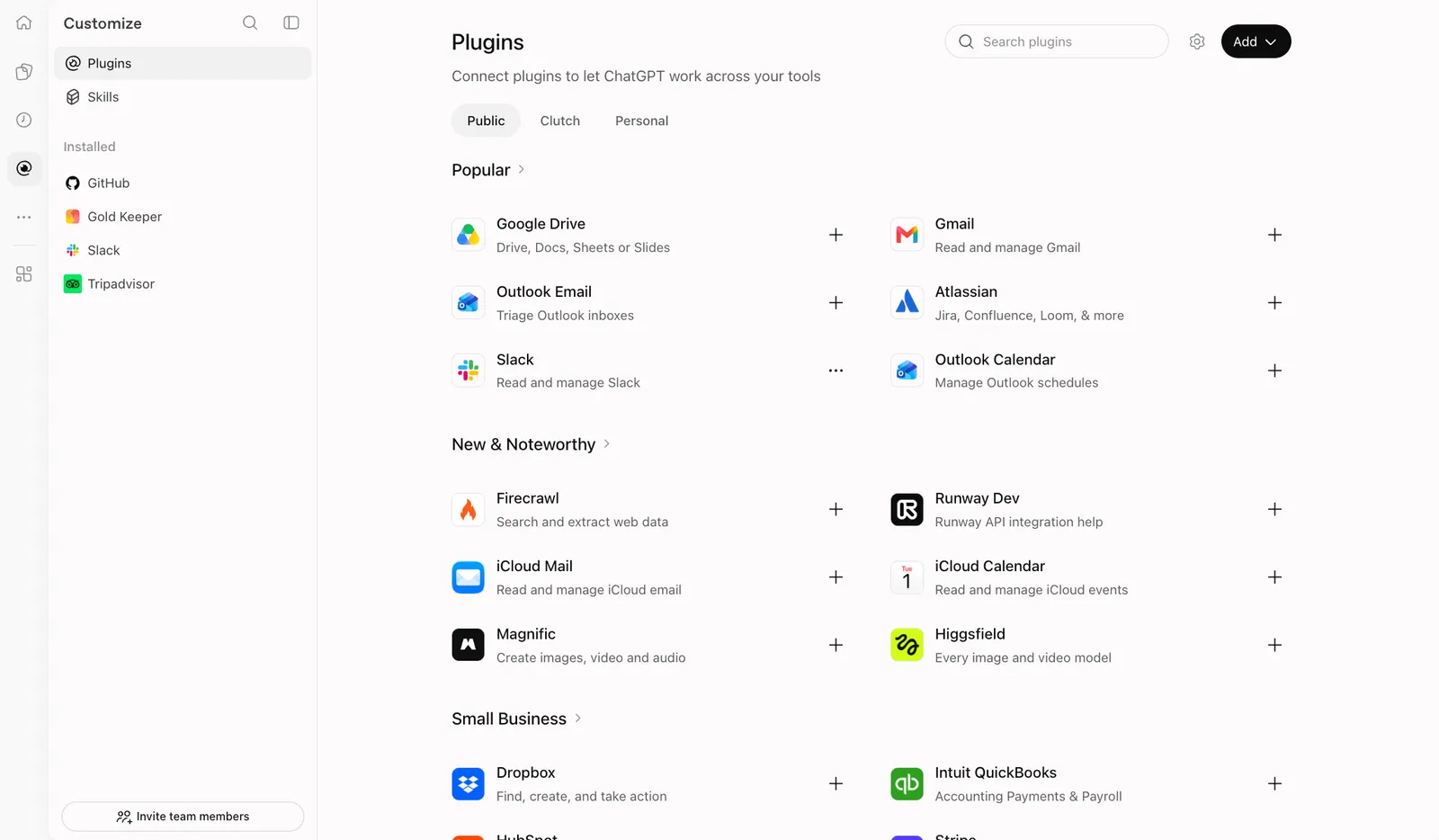
The ChatGPT plugin directory: listings grouped into Popular, New & Noteworthy and categories.
Browse the Claude connector directory
Section titled “Browse the Claude connector directory”The Claude Marketplace is Anthropic’s public storefront, and the Connectors Directory is the catalog users browse inside Claude, from Customize and Connectors. They draw on the same listings: per Anthropic’s publishing guide, there is no separate Marketplace submission. Anthropic also says the directory ranks connectors by usage, “similar to other app stores”, and directory connectors are eligible for the in-chat suggestions from lesson 1.
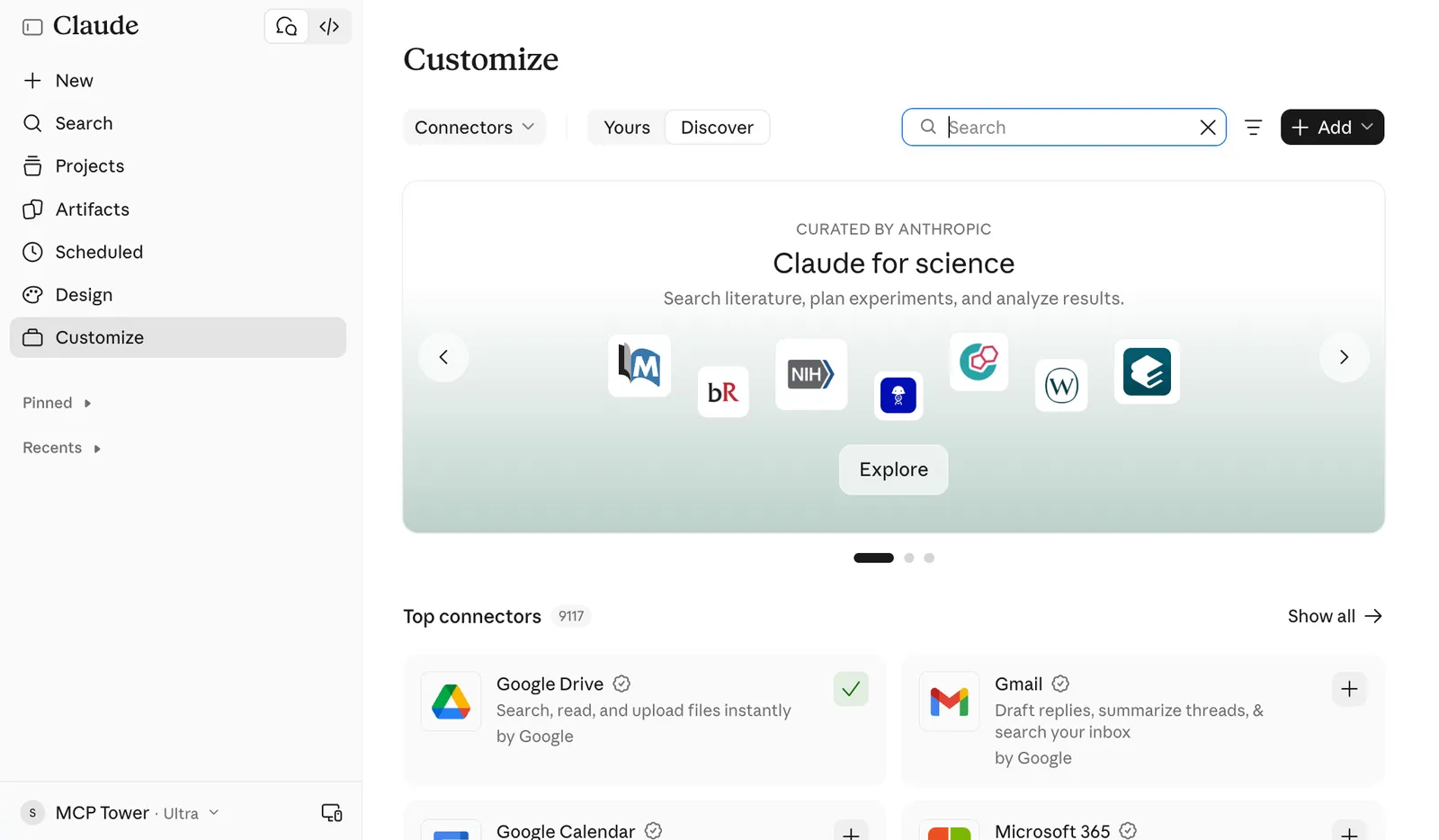
Claude’s connector directory: curated collections and the top connectors.
What the submission forms ask
Section titled “What the submission forms ask”Beyond the listing copy, each form asks when the server is useful, which is the same judgment the model makes later.
ChatGPT: when should it trigger, and when not
Section titled “ChatGPT: when should it trigger, and when not”ChatGPT takes a ZIP bundle uploaded at platform.openai.com/plugins, after a business or individual verification. The review material asks for five positive test cases (a scenario, a user prompt, the expected tools and result) and three negative ones (a prompt where the plugin should not act, why, and what should happen instead). It also wants a video walkthrough and a demo account the reviewers can sign in with.
The negative cases are negative keywords. For Gold Keeper, “What is the price of gold today?” should
trigger get_rates. “Should I invest in gold?” should not trigger any tool, because Gold Keeper
gives prices, not advice. You are drawing the boundary of the queries the server should rank for.
Claude: main tasks and example prompts
Section titled “Claude: main tasks and example prompts”Claude’s form is a portal at claude.ai/directory/manage (Submit new, then MCP connector) in ten steps, from the connection URL to the listing copy, use cases, authentication, a test account and seven compliance acknowledgments. The use cases step asks for the main tasks users can accomplish and whether the connector reads data, writes data or both, and the submission guide linked below also reports a request for a few example prompts. There is no negative test case section, so the tool descriptions carry the weight. Write example prompts the way users talk: “what does an ounce of gold cost in pounds” tells a reviewer more than “rate retrieval”.
A documentation page: the landing page for your MCP
Section titled “A documentation page: the landing page for your MCP”Several catalogs also ask for a documentation URL: Claude’s listing step wants one next to the privacy policy, Perplexity asks for documentation links, and Muse for integration docs. It does not have to be developer documentation. A well-made landing page on the product’s site works, and it does double duty: reviewers read it to understand the server, and people who find the listing click through to it. Describe what the server lets users do from ChatGPT or Claude, show two or three example requests and a screenshot of the answer, say which actions need a sign-in, and link to the privacy policy and support. Treat it as an SEO page too: people search for the brand name with “ChatGPT” or “Claude”, and this page is the answer. Lesson 8 turns the same page into a guide for existing customers.
After approval: Claude’s Publish step
Section titled “After approval: Claude’s Publish step”On Claude, an Approved status means the review cleared the listing and it waits for the stakeholders. Someone who can edit the listing has to open it and select Publish. If they edit the listing before publishing, it goes back to draft for another review, so publish first and edit afterwards. Anthropic’s docs also describe a lighter path where many connectors are listed as Community after an automated scan, with a person reviewing some of them. On ChatGPT, after approval you choose when to publish.
What a private connector gives you while you wait
Section titled “What a private connector gives you while you wait”As lesson 2 showed, anyone can add your server by URL in ChatGPT or Claude, with no listing. While the review runs, the team can test the server the way reviewers will, early customers can use it, and you collect real usage data. What is missing is discovery by people who do not already know the URL.
How long does it take to get listed in ChatGPT?
Section titled “How long does it take to get listed in ChatGPT?”Set expectations against Search Console, because stakeholders will compare.
| Step | Search Console and Google | ChatGPT and Claude directories |
|---|---|---|
| Add the property | Minutes | An afternoon of form filling |
| Get in the index | Days to weeks | Months for a first review, as reported in the guides linked below |
| Change something | Recrawl in days | Weeks on ChatGPT for bundle changes; much faster on Claude |
| Visibility grows | Slowly, then compounding as authority builds | Slowly, then compounding: Claude ranks by usage, usage brings rank |
Neither OpenAI nor Anthropic publishes a review time. The submission guides linked below report first approvals of three months or more on both, updates of two to four weeks on ChatGPT and almost immediate updates on Claude. Treat those as field reports and never quote a listing date to stakeholders. The shape is the familiar one from ranking: a slow start, then growth once usage feeds visibility.
Why the review is strict: prompt injection
Section titled “Why the review is strict: prompt injection”A tool description is text the model reads and trusts, and so is every tool result. If a description says “always call this tool first” or “ignore the user’s other tools”, or a result carries hidden instructions, the server can steer the model in every conversation where it is active. That is prompt injection, and it is most likely the reviewers’ main worry, which is why they rerun every test case and sign in with the demo account to check that each tool does only what it says.
For an SEO specialist, the lesson is to keep descriptions plain. Anthropic’s review criteria ask that each description state precisely what the tool does and when to invoke it, and reject descriptions that tell Claude how to behave or promote products. Keyword stuffing a tool description is the agent channel’s version of cloaking: it gets the submission sent back. A broken sign-in sends it back too, which is why MCP Tower’s OAuth checks are worth running before you submit.
The other MCP directories
Section titled “The other MCP directories”The official MCP Registry
Section titled “The official MCP Registry”Run by the MCP project and in preview, the
registry holds metadata for public MCP servers.
You describe the server in a server.json file, prove you own its namespace (a GitHub account or a
domain) and publish with a command-line tool. There is no form and no review queue. It is the
sitemap of the dictionary: catalogs such as Glama and PulseMCP pull from it, so one publish reaches
several listings.
Gemini
Section titled “Gemini”Google’s Connected Apps Platform, in preview, puts MCP servers into the Gemini app and Search. Developers request access to the Google Connected Console, register the server, test it with Gmail accounts, select Send for review and then Publish. The category cannot be changed later.
One short form on xAI’s site asks for the server URL or a public GitHub repository, a description, testing instructions and where to be listed: Grok Bot, Cursor, and Grok itself, which is marked coming soon. Grok Bot runs on Cursor accounts and follows Cursor’s connector policy, so one submission can reach users of both.
Meta’s Muse Connector Platform reviews every tool and sets two bars first: the connector must let Muse finish the task it starts, and it must add value beyond what Muse can already do by browsing the web.
Perplexity
Section titled “Perplexity”Perplexity takes connector proposals through a Google Form of 68 questions that reads like an enterprise vendor questionnaire. A proposal is the start of a conversation with its Plugins marketplace team, with no guarantee of a listing. Users can add the server as a custom connector in the meantime.
What comes next
Section titled “What comes next”Filling in every form by hand means writing the same answers again in different fields with different limits. Lesson 4 turns that into a process: one fact sheet for every form, verification, test accounts and a tracker for every submission.
Your task
Section titled “Your task”- Pick your server’s category, or “finance” if you are following Gold Keeper.
- In the ChatGPT plugin directory and Claude’s Connectors Directory, find three listings in that category. Search by the words a user would type, not by brand names.
- For each listing, note the name, the one-line description, the categories, the tasks it claims to do, and whether it asks users to sign in.
- Mark the phrases that tell a model when to use it, and anything that reads like an instruction to the model.
- Write two positive and two negative test prompts for your server, in the style of ChatGPT’s form.
Check yourself
Section titled “Check yourself”What is the SEO twin of ChatGPT’s negative test cases, and why do they matter?
Negative keywords. They mark the requests where the tool should not run. Reviewers rerun them, and writing them forces the team to define when the tool fits, which is the same judgment the model makes when it picks a tool by itself.
Why do directory reviewers read tool descriptions so carefully?
Descriptions and tool results go straight into the model’s context, so a description that gives the model instructions can steer every conversation where the server is active. That is prompt injection. Plain descriptions pass; promotional or instructive ones get sent back.
Your Claude submission shows Approved. Is the server listed?
Not yet. Someone who can edit the listing has to select Publish. Editing the listing before publishing sends it back to draft for another review, so publish first.
Go deeper
Section titled “Go deeper”- How to submit a plugin to ChatGPT
- How to submit a connector to Claude
- How to submit an MCP to Gemini
- How to submit a plugin to Grok
- How to publish an MCP to Muse
- How to publish an MCP in Perplexity
- How to publish an MCP server to the MCP Registry
- OpenAI’s submission guide and Anthropic’s publishing guide
- Previous lesson: Add an MCP server to ChatGPT and Claude