GrowLesson 8 of 9
MCP prompts and skills that promote your server
The SEO twin of this lesson is everything you do after a page is indexed: the internal links, the FAQ that answers the next question, the newsletter that tells existing customers about the new page. For an MCP server that work has four parts. Prompts are ready-made requests a server offers next to its tools, so a user can start with a good question instead of a blank box: each one shows users and agents one job the server does well, phrased the way a user would ask. Skills go one step further and give an agent step-by-step instructions for a job that takes several tools in a fixed order. Existing customers are the quickest users to win, through a docs page and an onboarding email, because they already know the brand. And the next catalog to list in is the one whose agent already sends calls. This lesson takes them in that order.
What MCP prompts are
Section titled “What MCP prompts are”The MCP specification defines prompts as templates a server offers to the user: a name, a title, a description, optional arguments, and the messages the AI assistant puts into the conversation when the user picks one. Tools are what the model calls. Prompts are meant to be chosen by the user.
For example, Gold Keeper has one prompt of its own, plan_purchase (“Plan a gold purchase”), with a required
budget and optional currency and goal. Picking it asks how many ounces the budget buys at the
current demo price, and the assistant answers that it will check get_rates first. The prompt shows what the server can do and which tool to use for it.
AI assistants decide how prompts appear, and support differs. Some list them in a menu or as slash commands; others do not show them to users yet. Check the host’s own documentation before you promise stakeholders that customers will see a prompt in a particular place.
Write prompts that show off the server
Section titled “Write prompts that show off the server”Most servers ship with no prompts, or with one written by a developer in a hurry. Writing them is copywriting, so it is work you can own and hand to the engineers to add. Each prompt has:
- a name (short, lowercase, with
_or-), a title and a description; - arguments, each with a description and whether it is required;
- messages, as the user or the assistant, with a placeholder where each argument’s value goes.
Write one prompt per job users come to the server for, in their words. For Gold Keeper that could be
a prompt that compares the price of one ounce in USD and GBP, with currency as an argument, or one
that starts from a goal (“I want to put 500 dollars into gold”). Each prompt should point at the
tool that answers it, the way plan_purchase points at get_rates. Then test it the way you test
a description (lesson 7): pick it in
a new conversation and check that the agent calls the tool you meant.
Agent Skills: the how-to guide for agents
Section titled “Agent Skills: the how-to guide for agents”A server gives an agent tools. A skill gives it the workflow. Agent Skills
is an open format: a folder with a SKILL.md file holding a name, a description and instructions,
which the agent loads only when a task needs it. Claude, Codex and a growing list of other agents
read them. In SEO terms, the skill is the how-to guide and the server is the page it walks readers
through.
A skill is worth writing when a job needs several steps in a fixed order. For Gold Keeper: check the balance, get fresh rates, buy within the next minute before the quote expires, then open the receipt. Without the skill, the agent has to work that order out from the tool descriptions every time; with it, the agent follows the company’s own instructions. Like the server, a skill needs distribution: publish it in the product’s docs or a public repository, and list it in the skill directories and plugin marketplaces the agents use, the same way you list the server.
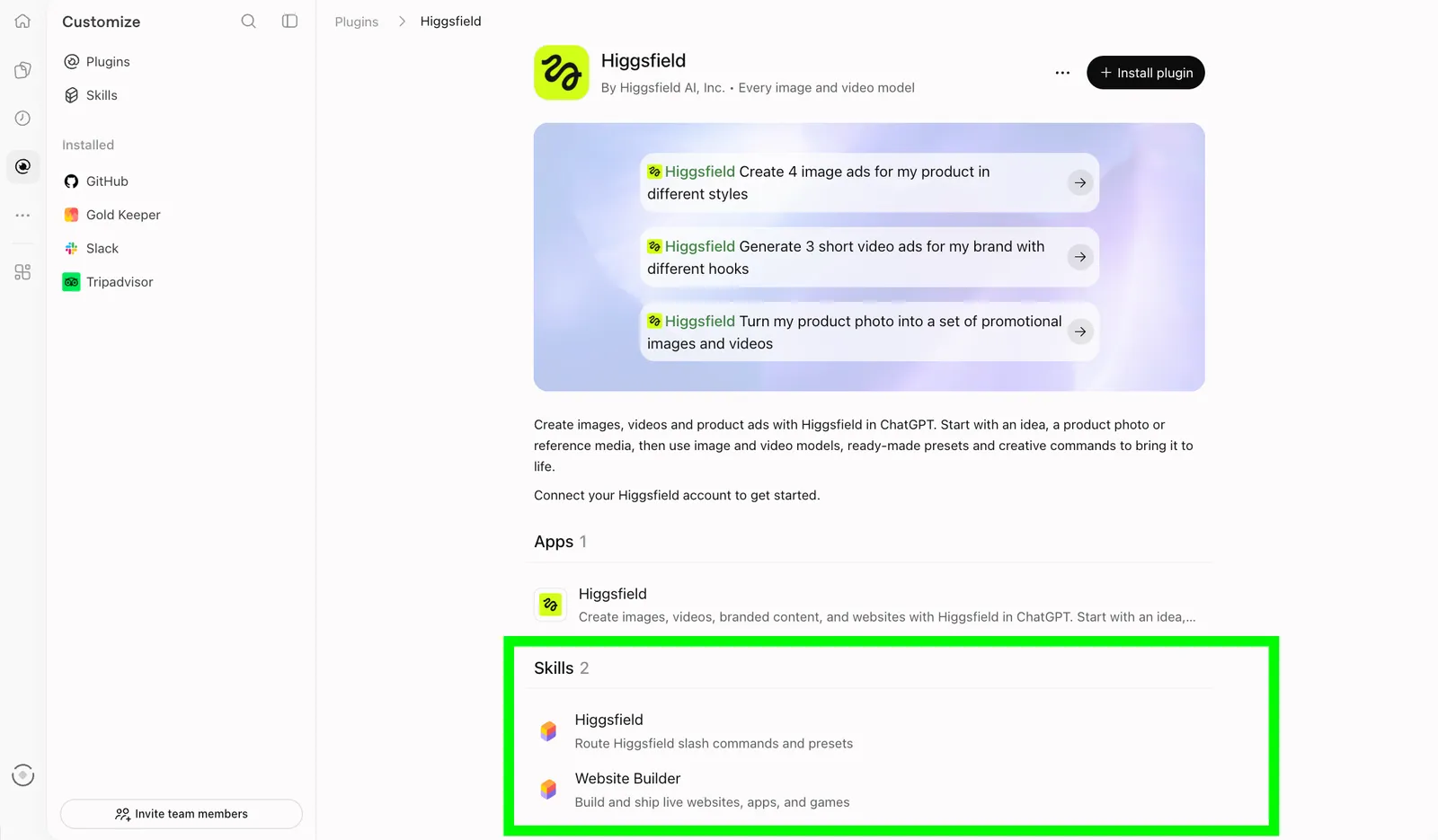
A plugin listing in ChatGPT shows the skills that come with the server.
Write the instructions as plain steps, name the tools in the order to call them, and say what to do when a step fails. Keep the description to one sentence that says when to use the skill, because that is what the agent reads to decide whether to load it, exactly like a tool description.
Promote the MCP server to existing customers
Section titled “Promote the MCP server to existing customers”A listing brings in strangers slowly. Existing customers know the brand and can start this week, once someone tells them the server exists.
A “use us in ChatGPT” docs page
Section titled “A “use us in ChatGPT” docs page”Write one page on the company’s site, in the help center or the docs, often titled “Use our app in ChatGPT and Claude”. A customer should be able to follow it in two minutes:
- One sentence on what the customer can do from ChatGPT or Claude.
- The server’s public URL, with a copy button: the same URL the directories list, so all usage goes through the address you measure.
- How to add it as a connector in ChatGPT and in Claude, step by step (lesson 2 has the steps), and a link to each directory listing once there is one.
- Three to five example requests, one per tool or prompt, in the customers’ words.
- Which requests need a sign-in, and what the server cannot do.
- Where to get help.
The page is also an ordinary SEO asset. People search for a brand name with “ChatGPT”, and this page is the answer.
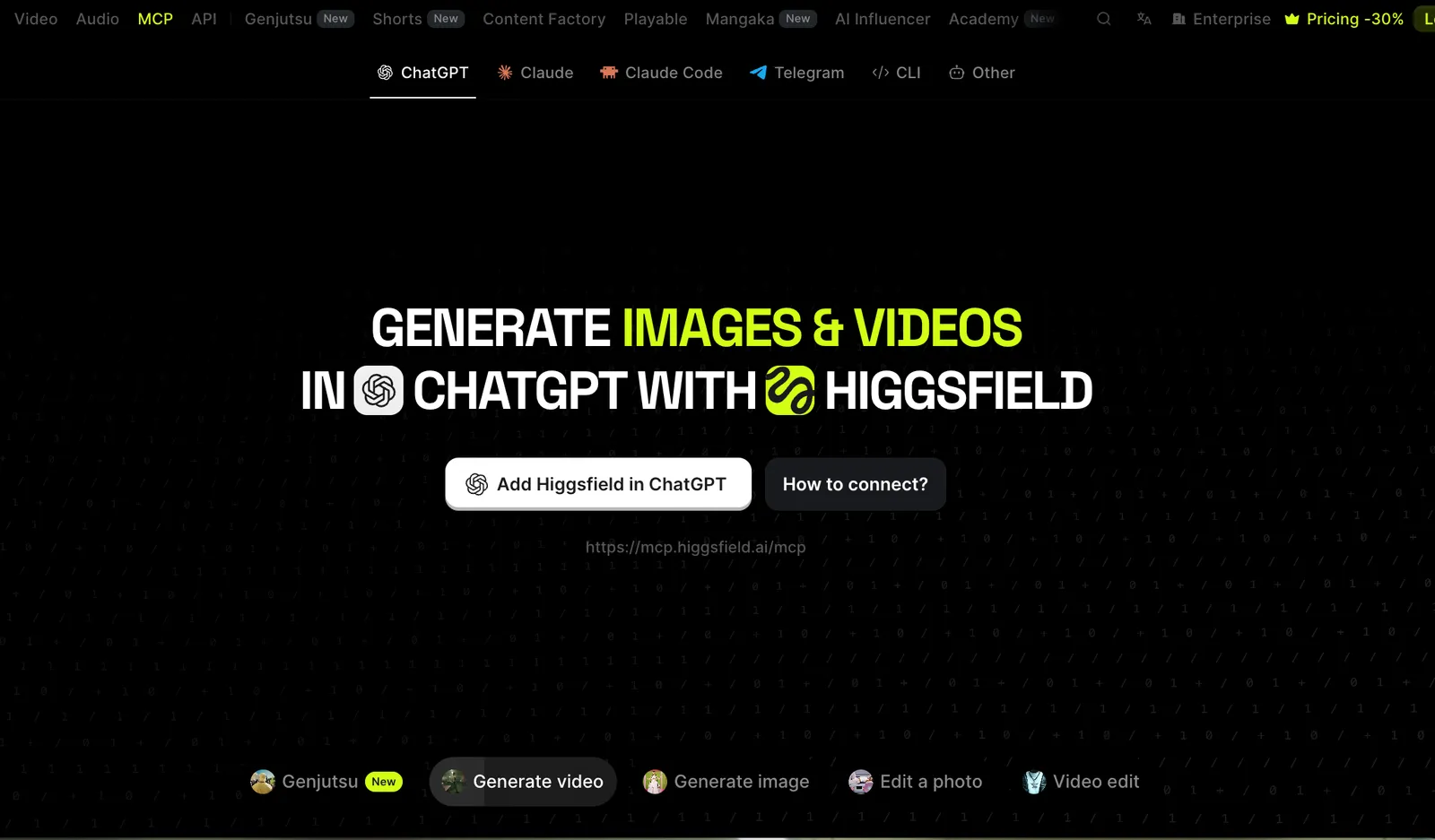
A real ‘use us in ChatGPT’ page: one tab per assistant, an add button and the MCP URL.
Where to list next, by the numbers
Section titled “Where to list next, by the numbers”Look at the server’s calls by agent (lesson 5) before you choose the next catalog. Some agents send calls before the server is listed there, because people paste the URL in by hand from the docs page or the email. Calls from an agent with no listing are demand you have not served yet, so that catalog goes to the top of the list.
The main catalogs today are the official MCP Registry, ChatGPT, Claude, Gemini, Grok, Muse and Perplexity. Lesson 3 explains how each listing gets there and lesson 4 how to run the submissions. When the numbers do not point anywhere yet, start with the registry: other catalogs read from it, as the registry guide explains. Then pick the catalog whose users match the company’s customers. Expect weeks before a new listing shows in the numbers.
Brief for the engineer
Hi, a few small things to promote our MCP server:
1. Prompts. Please add these prompts to the server (the MCP prompts capability), with the
names, arguments and messages below: [prompts]. They only add text; no tool changes.
2. A skill. I have drafted a SKILL.md for [the job]. Could you check the tool names and the
order, and publish it next to our docs or in a public repository?
3. The “use us in ChatGPT” page. Please publish it in our docs or help center. The URL on the page must be the public MCP URL we list in the directories.
4. The onboarding email. One line and a link in the welcome email for new customers, pointing at the page above.
If we are listed in a directory, tell me when the prompts are live, so I can check whether the listing needs an update.
Your task
Section titled “Your task”Gold Keeper is a dummy MCP server, safe to experiment with: the prices are demo prices, nothing is traded, no money moves and it never asks for payment details.
- Draft a “use us in ChatGPT” page for Gold Keeper as practice, using the six-part outline above
and the URL
https://mcp.goldkeeper.net/. Base the example requests on its four tools and itsplan_purchaseprompt. - Write the same page for the product you work on. Leave out anything the server cannot do.
- Write two prompts your server could offer: a name, a title, a one-line description,
arguments and the user message. If the product has a job that takes several tools in order, draft
a one-page
SKILL.mdfor it too. - Write the onboarding email: three sentences and the link.
- Open your server’s calls by agent for the last 30 days. Note which agents send calls and where the server is listed, and name the next catalog with one sentence of reasoning.
Check yourself
Section titled “Check yourself”Why should a prompt name the tool that answers it?
Because a prompt is a shortcut to one job. If its message points the agent at the right tool, as
plan_purchase points at get_rates, the user gets a working answer on the first try, and you can
check that it works by picking the prompt in a new conversation.
The server already has good tool descriptions. Why also publish a skill?
Descriptions explain each tool on its own. A skill explains the order: which tool first, what to do with its result, and what to do when a step fails. For a job like Gold Keeper’s purchase, where a quote expires after a minute, that order is the difference between a sale and an error.
The server is not listed in Perplexity, but the usage data shows calls from it. What does that tell you?
Some people already use the server from Perplexity, most likely after adding the URL by hand. That is demand without a listing, which makes Perplexity a strong candidate for the next submission. Check that those calls work (errors by agent) before you send more people there.
Go deeper
Section titled “Go deeper”- Prompts in the MCP specification.
- Agent Skills: the open format for skills.
- Lesson 3: the directories and the official MCP Registry guide.